Patrol
Patrol routes are authored with a spline and optional hold markers. With no target in sight the drone follows the route; when it senses the player it breaks off to chase, then returns after a delay.
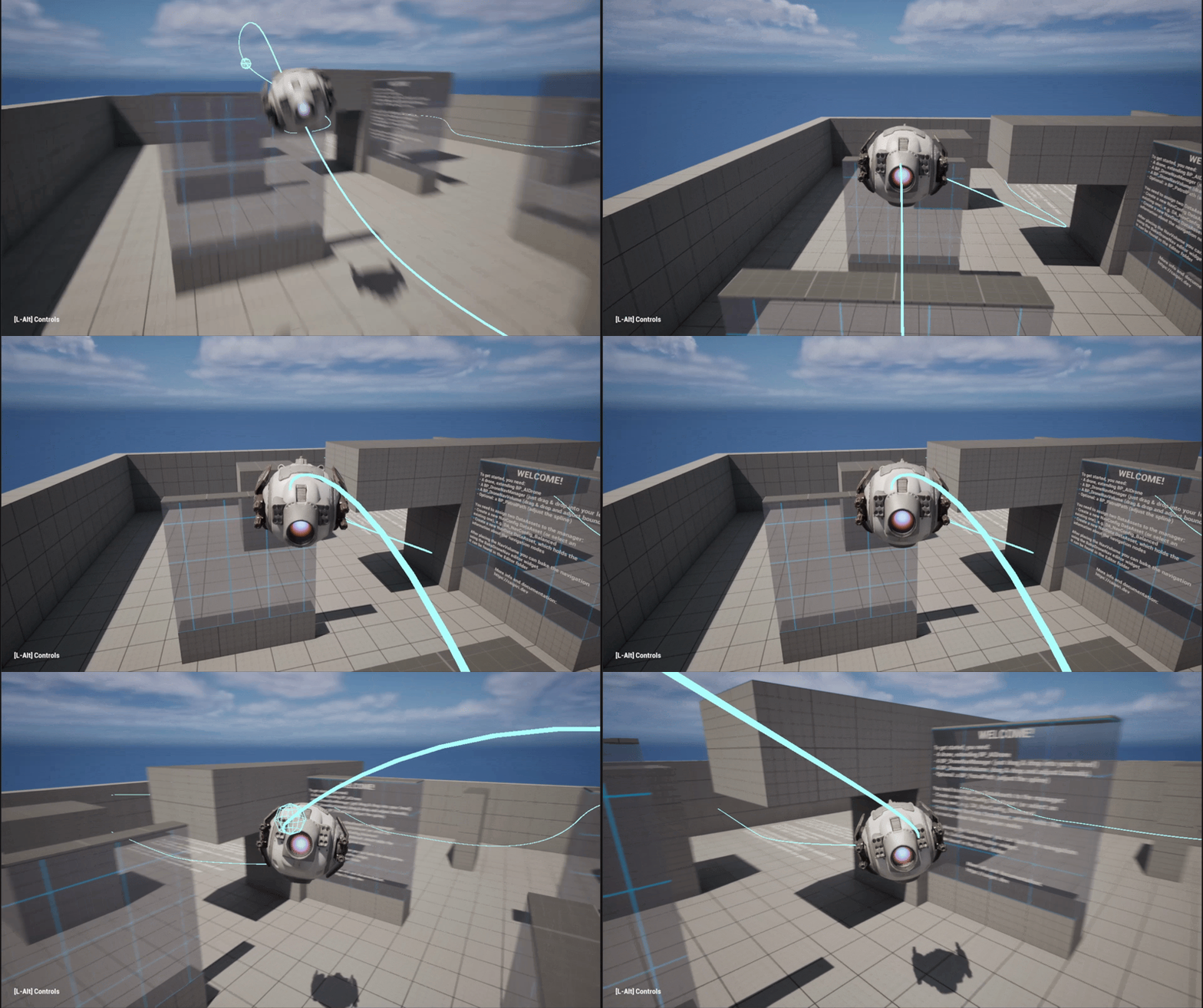
Author a route
- Drop
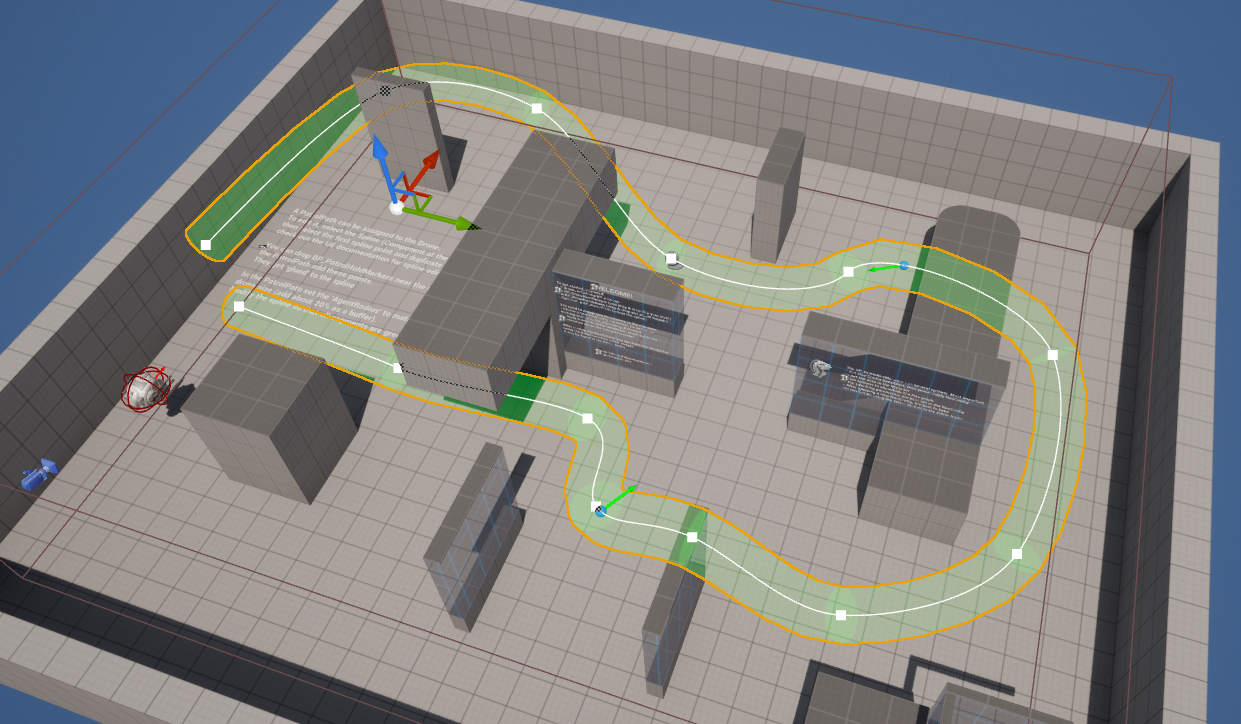
BP_PatrolPathinto the level and shape its spline through the airspace you want patrolled. - Select your
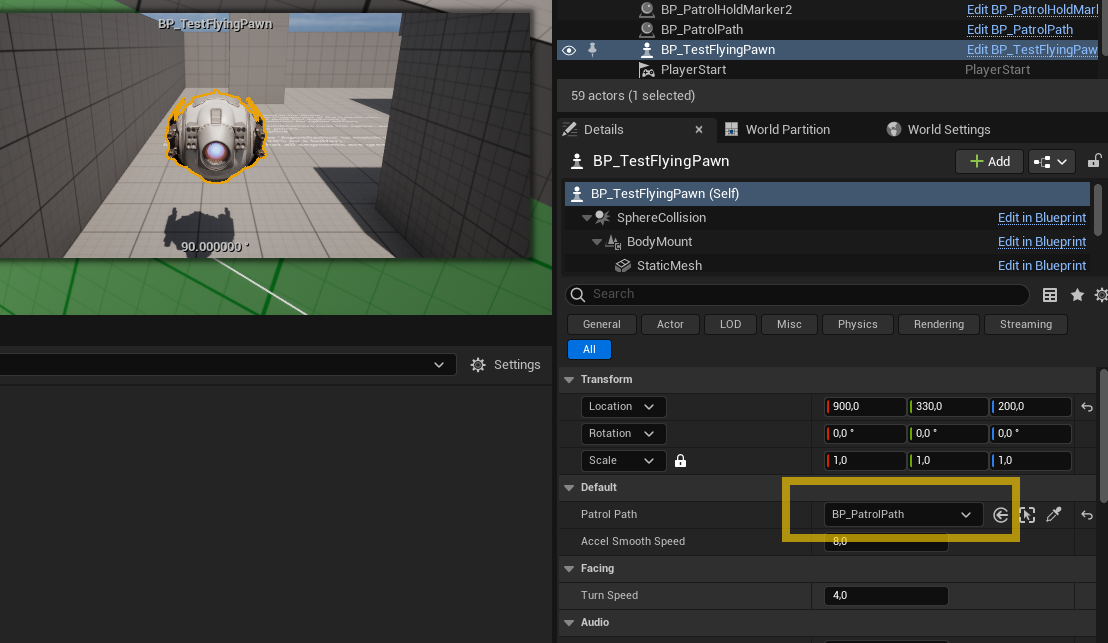
BP_AIDroneand set itsPatrolPathproperty to that path.
That's the minimum — a path with no markers is simply flown end to end, then looped.
The fit preview
BP_PatrolPath can draw a live clearance tube along the spline so you can see whether the drone fits before you ever press Play:
- Enable
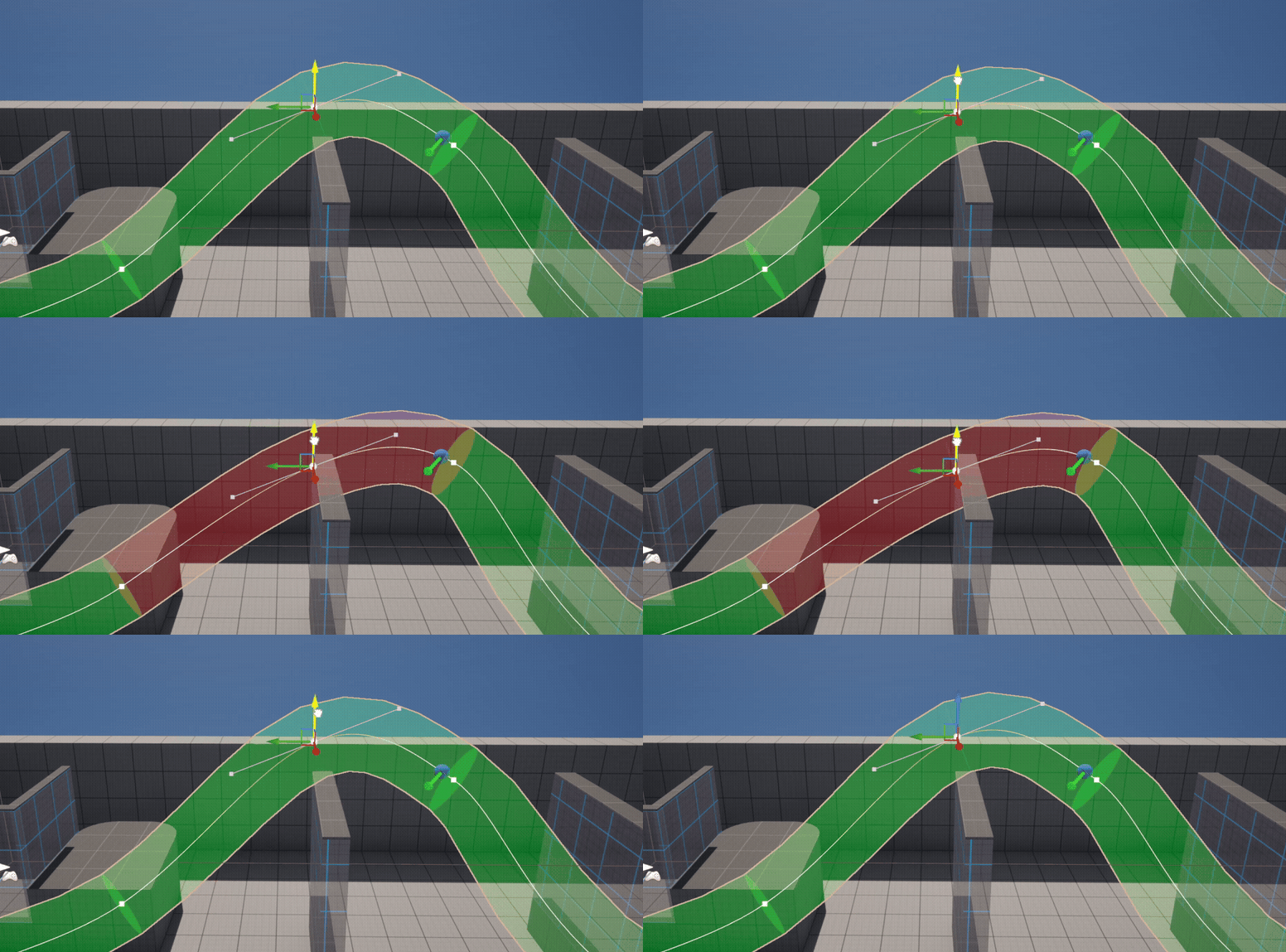
ShowFitPreview?and setAgentRadiusto your drone's radius. - The tube turns red wherever the drone would clip geometry, green where it fits.
Adjust the spline until the tube is green the whole way.
Patrol movement bypasses the nav graph and flies the spline as drawn (local avoidance still runs as a safety net). Don't route the spline through walls — the fit preview is there precisely so you can confirm clearance.
Hold markers
Add BP_PatrolHoldMarker actors and list them in the path's Markers array to make the drone pause along the route. The path snaps each marker onto the spline automatically.
Per-marker settings (full list in the Blueprint Reference):
HoldDuration— seconds to pause (0 = fly through).UseLookDirection?— while paused, face the direction the marker itself is pointing (rotate the marker actor — its arrow shows the look direction); otherwise the drone keeps facing its travel direction.

A marker's position on the spline is filled in by the path's Construction Script. If you added markers and nothing happens, nudge any property on the BP_PatrolPath to re-run it (and make sure SnapMarkersInEditor? is on and the Markers array has no empty entries).
Chase / search / return behaviour
When the drone senses the player it switches to Chase (faster speed, nav-graph pathfinding). If it then loses sight of the target it doesn't return straight to patrol — it flies to the target's last-known location, hovers, and sweeps its facing to look for it. Only if it fails to reacquire within MemoryDuration does it resume patrol — at the nearest point on the spline, not back at the start. See How It Works → Search.